Home security robots combine cameras, microphones, motion sensors, and software that can move around a house. They can check rooms, send alerts, and let you look in from somewhere else, but they still need clear limits and human decisions.
- Mobile checks can cover rooms a fixed camera misses
- Alerts need context before anyone calls for help
- Power, privacy, and network access shape daily use
What a home security robot can do
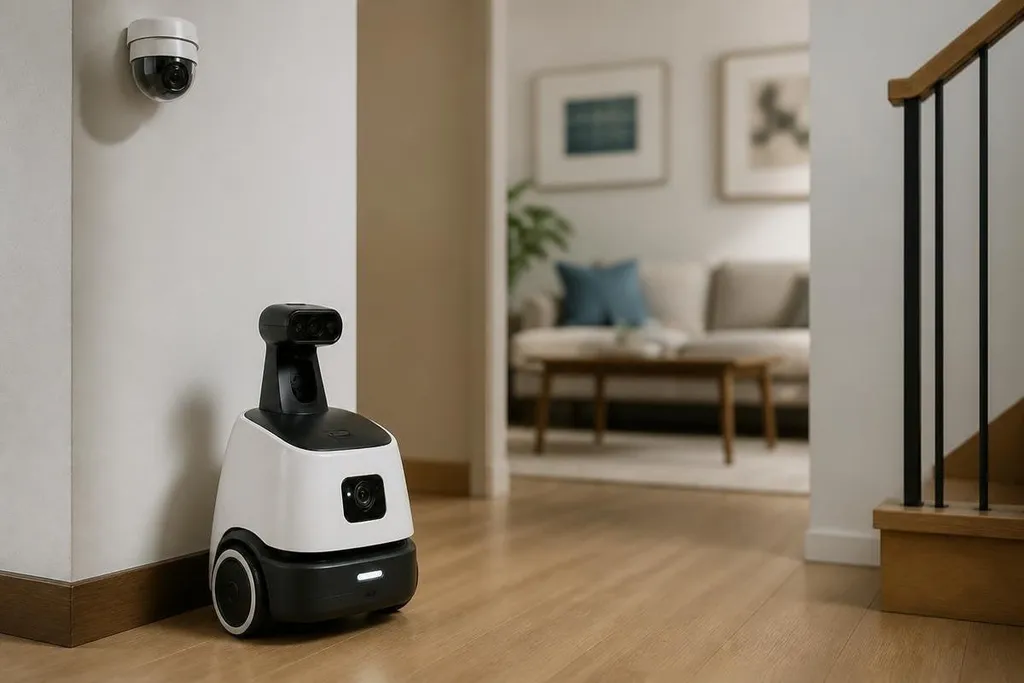
A fixed camera watches one view. A mobile robot can move between rooms, look around obstacles, and check a wider part of the house from one device. That changes the job from watching one frame to checking several places when something needs attention.
Its camera can record video, while a microphone picks up sound and distance sensors help it avoid walls and furniture. The software builds a map of the home, then uses that map to move between known points.
The exact sensor set varies by model, so you should check what the robot can still see in darkness or around glass doors.
Remote access adds another layer. You may be able to view a live feed, speak through the robot, or send it to a room after an alert. That can help you check a sound without giving every alert the same weight.
It doesn't know what a noise means by itself. A dropped box, a pet, and a person entering through a door can create similar signals, so the alert still needs a person to judge the situation.
Where the limits show up
Movement creates coverage, but it also creates failure points. A robot can meet a step, loose cable, closed door, or narrow gap that its map did not handle well. A fixed camera has fewer moving parts, while a mobile unit has to keep its wheels, sensors, software, and charging routine working together.
Battery life also affects coverage. If the robot spends time on its charging dock, it cannot inspect a room during that period. A home with several floors or poor wireless coverage may need extra equipment or a different security setup.
Privacy needs the same level of care as physical security. A moving camera can enter rooms that a fixed camera never sees. Check where recordings are stored, who can access them, how long they remain available, and whether the robot has a physical camera cover or microphone control.
A home patrol robot needs proof beyond a moving camera. Home security robotics reporting can tie its alerts and patrol work to named machines and test results. That record helps you judge how the robot fits with the cameras and alarms already in your home.
How robots fit with existing security
A home security robot works best as one part of a larger setup. Door sensors can report that an entry point opened. Smoke alarms can detect a hazard. Fixed cameras can keep watch over outdoor areas or a narrow hallway. The robot can then check a location that needs a closer look.
This setup also gives you more than one signal before you act. A door sensor followed by movement in the same room deserves more attention than a single sound picked up by a microphone. Video from the robot can supply detail, but the rest of the system helps explain why it moved.
Alerts should lead to a clear action. Decide who receives them, which events deserve a call, and what happens if the internet connection fails. A robot that sends many vague alerts may create work instead of reducing it.
What remains unproven
The hardest question is how well these systems perform over long periods in ordinary homes. A short demonstration can show movement and remote viewing. It cannot show how the robot handles clutter, changed furniture, pets, weak Wi-Fi, or missed charging over many weeks.
You also need to separate detection from response. It may spot movement, but that does not mean it can identify a threat or deal with one safely. In most homes, its useful role is checking conditions and sending information to a person.
I'd treat a security robot as a mobile sensor, not a replacement for locks, alarms, or a response plan. That view keeps the purchase tied to a real task: checking parts of the home that fixed equipment cannot cover.
Before you buy
Use this checklist when comparing a robot with a fixed camera system:
- Map the coverage: Mark the rooms, doors, and blind spots that need checks.
- Check the route: Look for steps, thick rugs, cables, narrow spaces, and doors the robot cannot open.
- Read the privacy terms: Find the storage location, retention period, account controls, and camera or microphone shutoff.
- Plan lost connections: Confirm what still works when the internet or home power fails.
- Set alert rules: Choose who receives alerts and which signals require a call.
- Price the whole setup: Include the robot, dock, network gear, service fees, and any fixed sensors you still need.
The useful test is simple: name the room or event the robot will handle better than your current setup. If you cannot name one, a fixed camera, door sensor, or alarm may fit the home better. The open question is how reliably mobile robots can keep that advantage after months of clutter, charging cycles, and routine household change.